 KiiMix
 Crop without leaving the page
Open the cropper over the current page without first saving the original image or opening another tab.

KiiMix Image Cropper
Move your pointer over a web image and click the crop button, or open the cropper from the image’s right-click menu. Select the area to keep and save it as JPG, PNG or WebP.
Opens the Chrome Web Store in a new tab.
Hover over an image and click the crop button, or right-click and choose Crop with KiiMix.
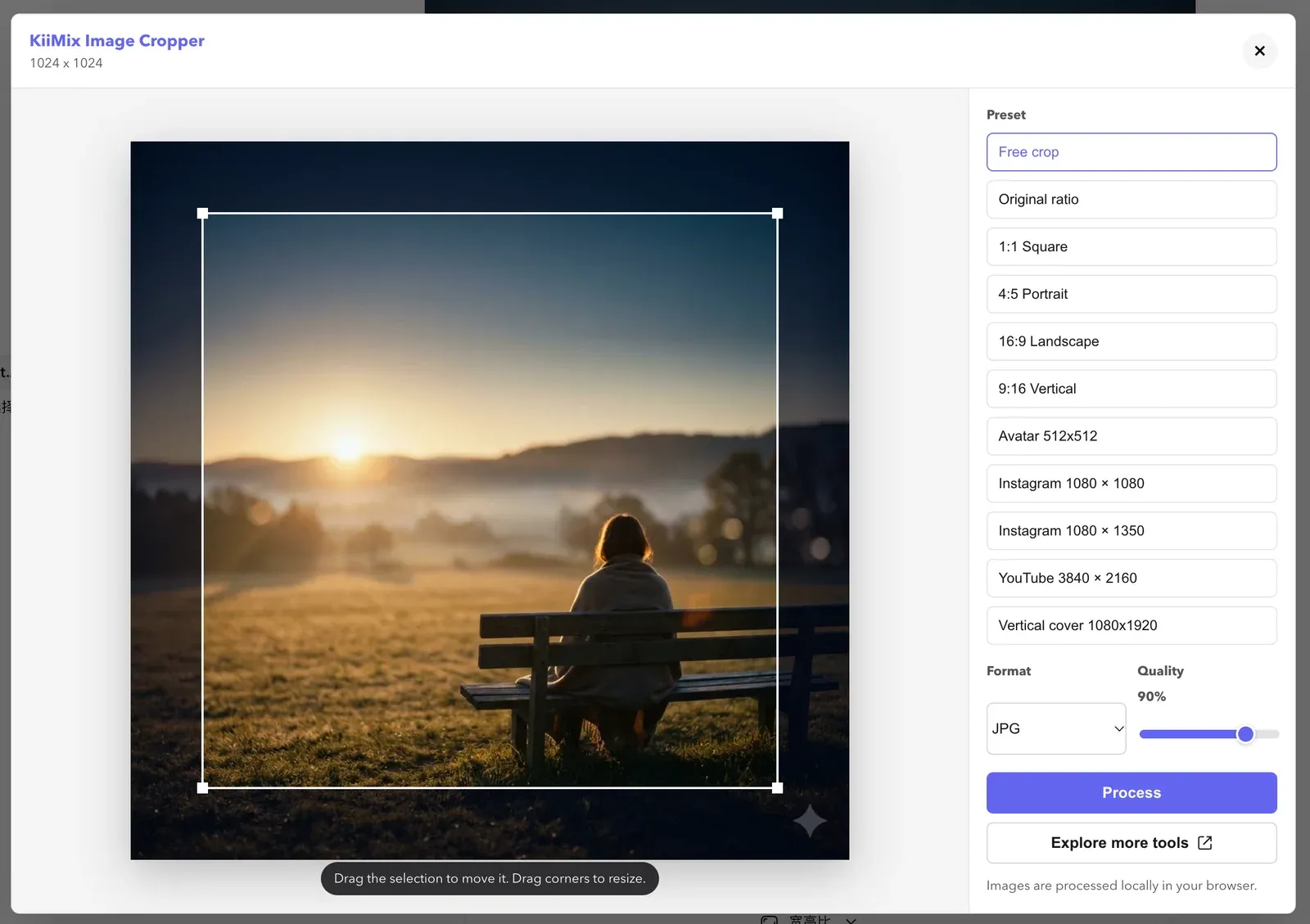
Drag the selection to move it or drag a corner to resize it. Use a preset for a fixed aspect ratio or output size.
Choose JPG, PNG or WebP, then click Process to download. Quality adjustment is available for JPG and WebP.
Open the cropper over the current page without first saving the original image or opening another tab.
Crop freely, keep the original aspect ratio or choose a preset. Fixed sizes include 512 × 512 avatars and 3840 × 2160 YouTube thumbnails.
Export JPG, PNG or WebP. JPG uses a white background; PNG and WebP can preserve transparency.
The extension crops and exports images in your browser. It does not record your editing activity or upload your images to KiiMix. To load a remote image, it may request the image from the website that hosts it.
Read the privacy policyChoose an image from your device to crop, compress or resize with the web tools below.
After installing, open a web page and click the crop button that appears when you hover over an image.
Add to Chrome